Key facts at a glance
Compare ATX gaming PSUs on Amazon.com ↗Affiliate link · As an Amazon Associate I earn from qualifying purchases. Search results can include other models. Check the model, condition, seller, current price, compatibility and delivery to your country.
| Spec or feature | Why it matters | What to verify |
|---|---|---|
| Wattage | Power capacity for the system | Exact GPU/CPU guidance and upgrade plan |
| ATX or SFX size | Whether it physically fits | Case PSU bay and cable clearance |
| GPU power plugs | Whether the graphics card can be powered | Exact card and PSU cable specification |
| 80 PLUS level | Tested conversion efficiency | Certified model in program database |
| Modular cables | Ease of routing unused cables | Cable set supplied for this exact PSU |
| Efficiency vs quality | An efficiency badge does not by itself establish protection quality, noise or suitability for your graphics card. | |
| Choose the capacity | Check the GPU maker’s system-power recommendation and your complete build. A PSU’s rated output is not constant wall-power consumption. | |
How do you choose a gaming PC power supply?
| The short answer | Start with the exact graphics card, processor and case. Check required connectors, recommended system power and physical fit. Keep modular cables matched to their power supply; a plug that fits is not enough evidence that a cable is interchangeable. |
|---|
Compare compact SFX PSUs ↗Affiliate link · As an Amazon Associate I earn from qualifying purchases. Search results can include other models. Check the model, condition, seller, current price, compatibility and delivery to your country.
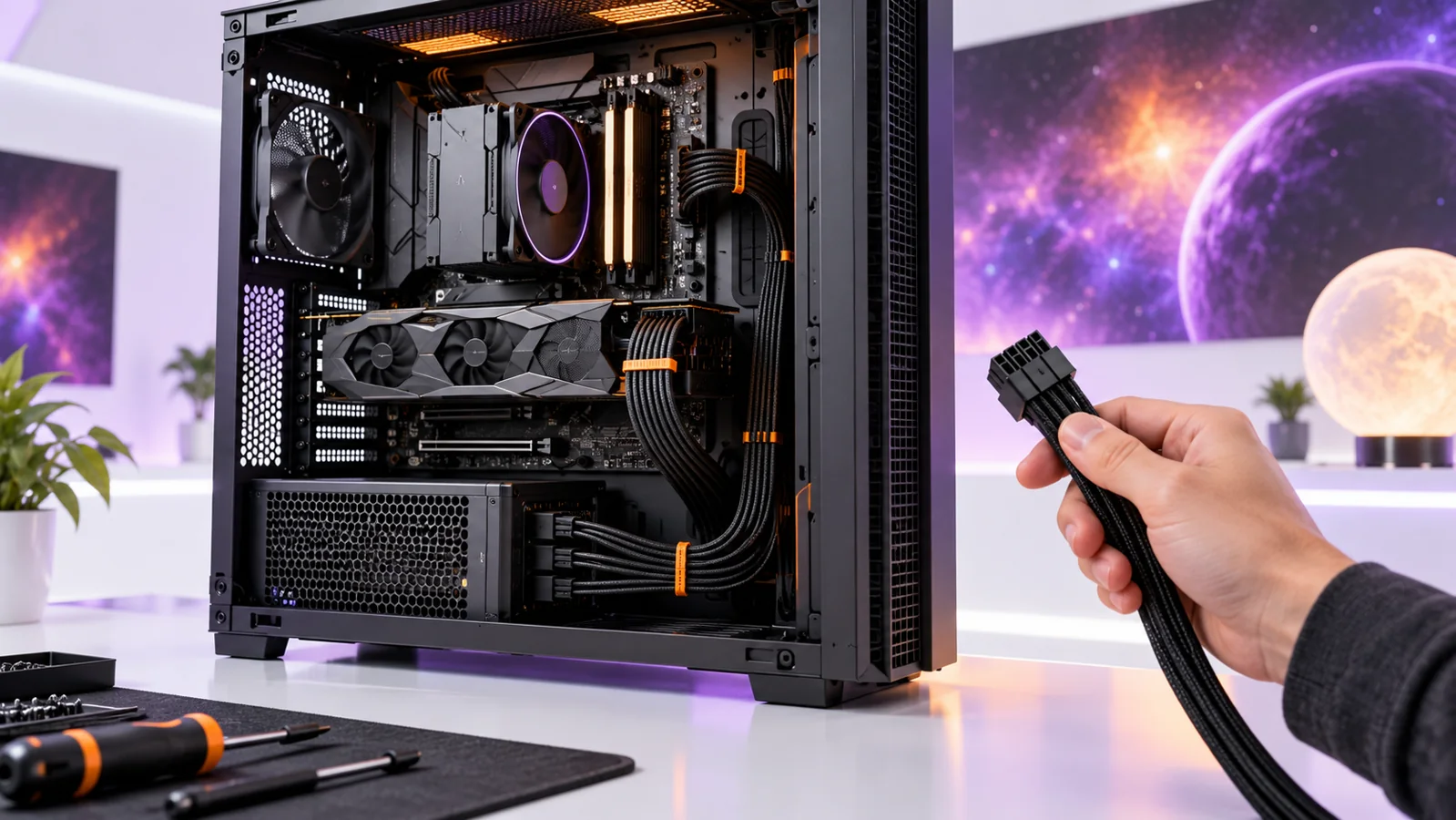
| What to know | Updated 14 October 2026. A power supply unit, or PSU, takes electricity from the wall and feeds the parts inside a desktop PC. Choosing one is about the whole build: enough power, correct cables, physical fit and a trustworthy warranty. A bigger wattage sticker alone does not make a PC faster. This is a research-based buying guide, not a hands-on electrical test. |
|---|
Gaming PC power supply: a practical order for choosing parts
| Start with a complete parts list | List your exact CPU and graphics card, then check their power guidance. Include upgrades you plan to make. Gaming PCs do not all need the same wattage. |
|---|---|
| Check case fit before efficiency level | Check whether your case needs an ATX or SFX power supply. Leave space for plugs and cable bends. The unit must fit before anything else matters. |
| Use the correct modular cables | Use the cables made for that exact power supply. A plug that fits can still be wired differently. Follow the power supply and graphics-card instructions. |
| What does a Gold badge settle? | 80 PLUS measures how efficiently a power supply converts electricity. A Gold badge alone does not tell you noise, build quality or how many watts your PC needs. |
| What to know | Affiliate disclosure: As an Amazon Associate I earn from qualifying purchases. These Amazon.com links open search results, not checked product offers. Verify exact model, rating, connectors, local delivery, seller and warranty before ordering. |
|---|---|
| In practice | Compare ATX gaming PSUs on Amazon.com ↗ · Compare compact SFX PSUs ↗ |
Gaming PC power supply: the simple buying checklist
| What to know | List the exact graphics card, processor, motherboard, case and storage you will use. Read the graphics-card maker’s recommended system power for that model, then check its required power connectors. Confirm the PSU fits your case and offers those connectors with its own approved cables. Finally, compare warranty, efficiency certification and independent technical reviews of the exact PSU model. Do this before you buy an attractive unit with the wrong plugs. |
|---|
Start with the graphics card and processor
| What to know | The graphics card often drives the PSU choice in a gaming PC. Open the official specification page for the exact card, including its manufacturer variant. Look for recommended system power and required connectors. Factory-overclocked versions can differ from a reference card. Then check the processor and any unusual accessories. Intel’s PC-building guide recommends using a PSU wattage calculator as a starting point, but the maker’s specifications for the real parts should decide the final check. |
|---|---|
| In practice | Do not add a random large number “just in case.” Some extra room for later upgrades can be useful, but a much larger PSU does not increase frame rate. Compare the cost of a good quality unit that meets your needs with the cost of an oversized unit. If you expect a more demanding future GPU, check that future class of card’s likely power and connector requirements before deciding how much to reserve. |
Wattage is not the same as wall power
| What to know | A PSU’s wattage rating describes the output capacity available to the components, not a fixed amount it pulls from the wall every minute. Actual consumption depends on what the PC is doing. A game, a video export and an idle desktop place different demands on the system. The efficiency of converting wall electricity into usable power also changes by load. That is why a “1000 W” label does not mean the PC constantly uses 1000 watts. |
|---|---|
| In practice | If you want to estimate running cost, measure the completed PC with a suitable wall meter and use your local electricity tariff. Do not use the PSU’s maximum rating as the bill. Do not open a PSU to measure or repair it: internal capacitors can remain dangerous after it is unplugged. For faults, use the manufacturer warranty or a qualified technician. |
Connectors: one wrong assumption can stop a build
| What to know | Most standard desktop builds need a motherboard power cable, a CPU power cable and the correct graphics-card connection. Intel’s PSU guide describes common 24-pin motherboard, 4/8-pin CPU, PCIe graphics and SATA power connections. The exact set varies. Some cards use multiple PCIe plugs; newer cards may use a dedicated high-power connector or an approved adapter. Read both the card manual and PSU manual before connecting anything. |
|---|---|
| In practice | Never swap a modular PSU cable from another unit just because it fits the socket. The PSU-side wiring can differ between brands or models, and a wrong cable can damage hardware. Use the cables supplied or explicitly approved for that exact PSU model. Seat the graphics-card connector fully and follow the card maker’s clearance instructions so the cable is not forced sharply against a case panel. NVIDIA’s user guidance for a current card explicitly calls for a fully seated power plug; check your own card’s manual for its precise instructions. |
ATX, SFX and the space inside your case
| What to know | ATX is common in mid-size desktop cases. SFX is smaller and often used in compact builds. The shape alone is not enough: PSU length, cable bending room and the case’s support bracket all matter. Intel advises checking physical clearance and the case’s supported power-supply design. A unit can technically fit a bay but leave no comfortable space to route the cables. |
|---|---|
| In practice | Measure the case’s PSU compartment, look at the maker’s maximum PSU length and note whether a drive cage occupies nearby space. In a small-form-factor build, check the exact SFX or other size the case accepts. Some cases require a separate bracket. Do not assume a product photo showing a PSU in a case proves that your different revision will fit. |
Explore modular Gold PSU listings ↗Affiliate link · As an Amazon Associate I earn from qualifying purchases. Search results can include other models. Check the model, condition, seller, current price, compatibility and delivery to your country.
What does 80 PLUS Gold actually tell you?
| What to know | 80 PLUS is an efficiency testing and certification program. A Gold or Platinum label refers to tested conversion efficiency at defined loads; it is not a complete verdict on electrical protection, noise, fan quality or long-term reliability. The program operator CLEAResult publishes the rating definitions and a database of certified products. Search the exact model there when a listing uses a certification badge. |
|---|---|
| In practice | Between two otherwise suitable units, higher efficiency can reduce wasted electricity and heat. But do not ignore a weak warranty, missing connectors or poor independent test results simply to move up one badge level. A sensible purchase balances electrical performance, fit, cable set, price and support. Read a detailed technical review for the exact PSU version, not just a broad brand reputation. |
Modular or non-modular?
| What to know | With a non-modular PSU, the cables stay attached. With a fully modular model, you plug in the cables the build needs. Semi-modular sits between them. Intel notes that modular units can make cable management easier, especially in smaller cases. The trade-off is usually price. Fewer unused cables can make a build neater, but modularity does not automatically make a PSU electrically better. |
|---|---|
| In practice | Before buying a modular unit, inspect the included cable list. A listing may show more PSU-side sockets than cables included in the box. If you need extra SATA devices or several GPU connectors, confirm both the cable count and the approved configuration. Do not rely on third-party cable extensions to solve a missing required connector without checking the PSU and component maker’s guidance. |
Noise, warranty and maintenance
| What to know | A PSU fan can be noticeable in a quiet room, but noise varies by load, cooling design and case airflow. Some models offer a semi-passive fan mode. That can be useful for light work, yet it does not tell you how loud the whole PC will be during a game. Read independent measurements where available and consider the GPU and case fans too. A good return policy lets you deal with unexpected coil noise or fan behavior without guessing from a marketing page. |
|---|---|
| In practice | Check the warranty period and who handles support in your country. Keep the invoice and the PSU’s serial number. Dust buildup and blocked airflow can raise temperatures; clean the case according to its manual while the PC is disconnected. Never open the PSU enclosure. If you notice burning smell, repeated shutdowns or damaged wiring, stop using the system and seek qualified help rather than trying another random adapter. |
A practical example without guessing your wattage
| What to know | Suppose you have a mid-tower case and plan to upgrade a mid-range graphics card. First find the case’s ATX PSU clearance. Next identify the exact future card and read its recommended system power and connector requirements. Add your processor and drives to an official or reputable calculator, then choose a reputable PSU with the appropriate output and native or approved connectors. Finally check the model’s certification record, independent review and local warranty. That sequence gives a defensible answer; a universal “every gaming PC needs 850 W” rule does not. |
|---|---|
| In practice | Explore modular Gold PSU listings ↗ · Explore compatible PC cases ↗ |
Shopping in the US, UK, Canada or Australia
| What to know | Use your local retailer for the final price, taxes and warranty terms. An Amazon.com search can help you find model codes, but it does not confirm availability or warranty in another country. Verify the AC input range and supplied wall cable for your market, especially for an imported unit. Most modern PSUs support a range of voltages, but you must check the exact label rather than assume it. Avoid unverified refurbished electrical parts when you cannot inspect condition and support. |
|---|
Common questions
| Can a higher-wattage PSU damage my PC? | A correctly designed and connected PSU provides what components request; a larger rating does not push its full capacity into the PC. The important checks are product quality, suitable connectors, correct cables and installation. Do not use this as a reason to buy an unsafe or poor-quality oversized unit. |
|---|---|
| Does 80 PLUS Gold mean the PSU is safe? | It confirms a level of tested efficiency for the certified model. It does not replace reviews of protection behavior, build quality and warranty. Check the exact certified model and relevant safety approvals. |
| Can I reuse my old modular cables? | Only if the PSU maker explicitly confirms those exact cables work with the new model. A matching plastic plug is not enough evidence. When in doubt, use the new PSU’s supplied cables. |
Questions before you buy
| Question | Useful answer |
|---|---|
| How many watts does a gaming PC power supply need? | Start with the exact GPU maker’s recommendation and the complete CPU/GPU configuration. Include a realistic upgrade plan. Rated PSU output is capacity, not a claim that the PC constantly draws that much from the wall. |
| Can I reuse modular cables from my old PSU? | Do not assume matching plugs mean matching wiring. Use cables supplied for the exact PSU or specifically approved by its maker. A cable mistake can damage components; model-specific compatibility matters more than tidy routing. |
| Is an 80 PLUS Gold PSU automatically good for my build? | The badge concerns efficiency under its test conditions. Also check the exact model’s connectors, dimensions, protections, service terms and suitable independent testing. Efficiency alone does not establish noise or compatibility with your graphics card. |
| What should I check before ordering a PSU? | Record the case’s supported PSU size, available cable space and required GPU power connection. Compare the included cable set with the build list. Keep the purchase tied to exact model numbers rather than a brand and wattage headline. |
Read next: make the next choice easier
| Gaming PC → | Decide whether to build or buy a complete PC. |
|---|---|
| Gaming PC Airflow and Case Fan Setup → | Plan airflow and fan placement. |
| Gaming Laptop Buying Guide → | Compare the parts and cost of a gaming laptop. |
Explore compatible PC cases ↗Affiliate link · As an Amazon Associate I earn from qualifying purchases. Search results can include other models. Check the model, condition, seller, current price, compatibility and delivery to your country.
Official sources and corrections
| Sources and method | Sources and method: Intel’s PSU selection guide, Intel’s PC build guide, CLEAResult’s 80 PLUS ratings, and NVIDIA’s connector seating example. Our explanations and checklist are original NextAIGen Editorial work; no PSU was physically tested. Cover artwork is an original concept illustration, not a product photograph. Continue with our Windows laptop buying guide or gaming and everyday gear guide. |
|---|