Key facts at a glance
Compare Quest 3 listings on Amazon.com ↗Affiliate link · As an Amazon Associate I earn from qualifying purchases. Search results can include other models. Check the model, condition, seller, current price, compatibility and delivery to your country.
| What matters | Quest 3 | Quest 3S |
|---|---|---|
| Display per eye | 2064 × 2208 LCD | 1832 × 1920 LCD |
| Maximum refresh | 120 Hz | 120 Hz |
| Chip and memory | Snapdragon XR2 Gen 2; 8 GB | Snapdragon XR2 Gen 2; 8 GB |
| Lens and fit | Pancake lenses; continuous IPD slider | Fresnel lenses; three IPD positions |
| Color passthrough | 4 MP stereo with depth sensor | 4 MP stereo |
| Meta-listed battery life | About 2 hours | About 2.5 hours |
| Lenses | Quest 3 uses pancake lenses; Quest 3S uses Fresnel lenses. Try text clarity and fit before choosing. | |
| Resolution per eye | Quest 3: 2064 × 2208. Quest 3S: 1832 × 1920. Resolution alone does not decide comfort. | |
| Core hardware | Both use Snapdragon XR2 Gen 2 and 8GB RAM. Compatible apps and actual graphics settings still matter. | |
| Accessory fit | Choose accessories marked for your exact headset. Do not assume every Quest 3 part fits Quest 3S. | |
Quest 3 or Quest 3S: what should you compare first?
| The short answer | Try the headset fit and lens clarity before comparing storage offers. Read small text, turn your head and check comfort with your glasses if applicable. Then compare the games and accessories you want; a larger library does not fix a headset you dislike wearing. |
|---|
Compare Quest 3S listings ↗Affiliate link · As an Amazon Associate I earn from qualifying purchases. Search results can include other models. Check the model, condition, seller, current price, compatibility and delivery to your country.
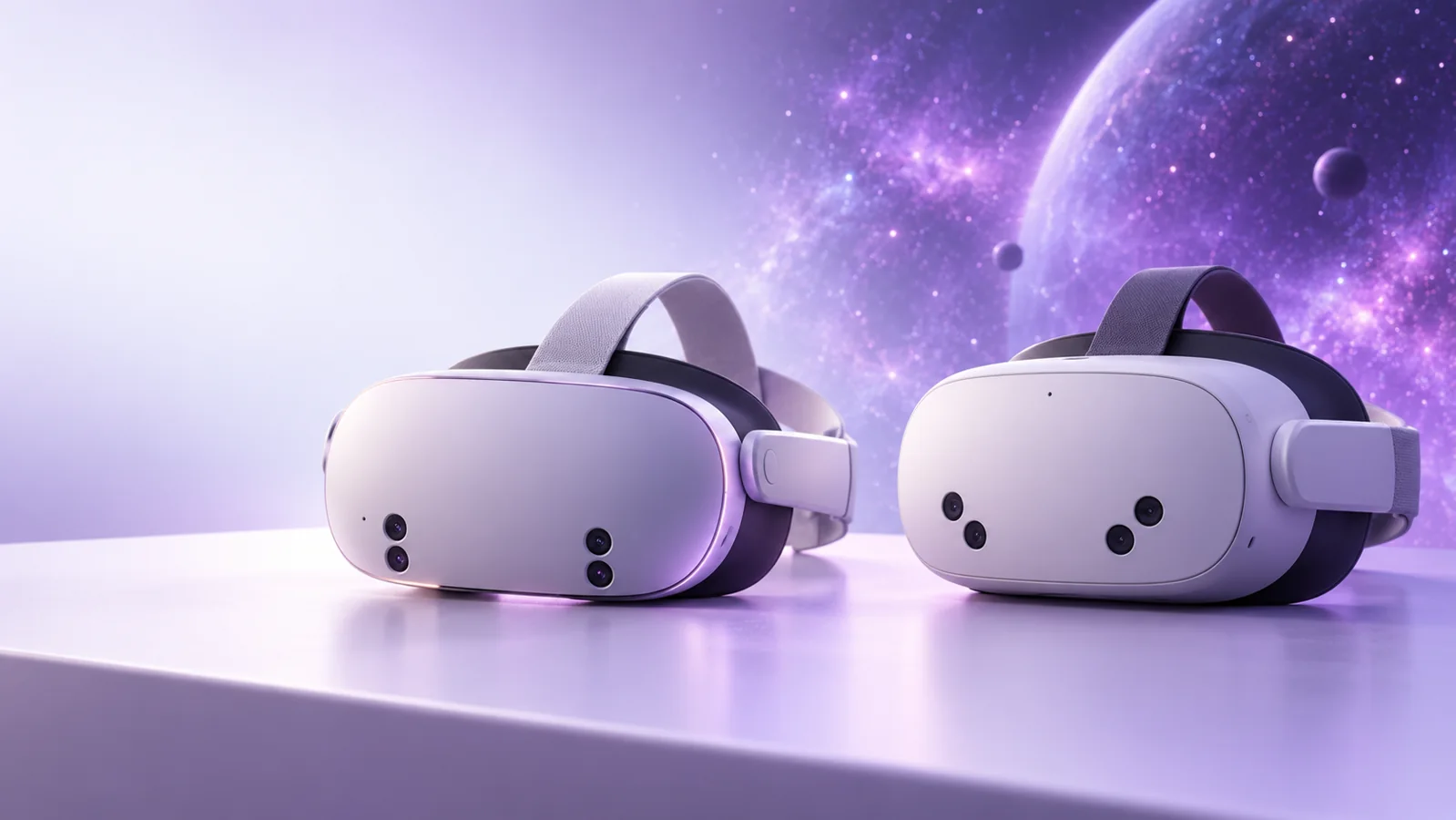
| What to know | Updated 14 October 2026. Meta Quest 3 and Quest 3S run on the same Meta Horizon OS platform, but they do not feel identical on your face or look identical through the lenses. This guide uses Meta’s published specifications and practical buying checks. It is a researched comparison, not a hands-on test. Prices and bundles change, so check your local checkout before paying. |
|---|---|
| In practice | Affiliate disclosure: As an Amazon Associate I earn from qualifying purchases. The links below open Amazon.com searches, not selected or verified offers. Check model, bundle, seller, condition, shipping region and return policy. |
| In practice | Compare Quest 3 listings on Amazon.com ↗ · Compare Quest 3S listings ↗ |
Meta Quest 3 vs Quest 3S: the quick answer
| What to know | Buy Quest 3S if you want a lower-cost way into standalone VR and are happy to accept a less sharp view, especially near the edges. Buy Quest 3 if you spend long sessions reading menus, watching video or working in mixed reality and you can afford the better display and lens system. Both can play supported Quest games. The more expensive headset is not necessary for every game; your comfort and the difference in the final price should decide. |
|---|
What the numbers mean when you put a headset on
| What to know | Resolution is the count of pixels available to each eye. Quest 3 has more pixels, so small writing, distant objects and fine textures can look clearer. It also uses pancake lenses, which tend to keep more of the view usable without turning your head. Quest 3S uses Fresnel lenses and a lower-resolution panel. If you mostly play active games where you look toward the center, the cheaper headset can still be fun. If you read a lot of text in VR, the difference may be worth more to you than it is to a casual player. |
|---|---|
| In practice | Refresh rate describes how often a screen can update. Meta lists a maximum of 120 Hz for both headsets. That does not mean every game runs at 120 frames a second. Developers select modes based on performance and battery needs. Do not choose Quest 3 only because you saw “120 Hz” on a comparison card: Quest 3S carries the same maximum specification. |
Fit is as important as a spec sheet
| What to know | IPD means the distance between the centers of your pupils. If the lenses do not line up well with your eyes, text can blur and the experience can feel tiring. Quest 3 offers a continuous slider; Quest 3S uses three preset positions. Neither number tells you whether a headset will feel good on your particular head. If a shop allows a hygienic demo, adjust the lenses, head strap and facial interface before deciding. If you cannot try it, favor a retailer with a clear return policy. |
|---|---|
| In practice | People who wear glasses should check Meta’s instructions for lens spacing or prescription inserts. Do not push a headset hard against glasses to make it fit. Check compatibility of an insert with the exact headset model; a result labeled “Quest accessory” is too broad. A third-party strap can improve balance for some users, but it adds cost and may change how the headset fits in a travel case. |
Mixed reality and passthrough: what to expect
| What to know | Passthrough is the live camera view of your room inside the headset. It helps you find a controller or see virtual objects over a real table. Both models support color passthrough. Meta lists a depth sensor for Quest 3 in its device comparison, while Quest 3S does not list one there. That is a meaningful hardware difference, but an app’s mixed-reality behavior also depends on software support. A promotional video is not a promise that every app maps your room in the same way. |
|---|---|
| In practice | Do not treat passthrough as a replacement for direct vision. It is a camera feed, so lighting, movement and display limits affect what you see. Clear the play area first, stay away from stairs and fragile furniture, and set the boundary to match your room. Meta’s comparison says the minimum roomscale play area is 6.5 by 6.5 feet, with extra clearance around obstacles. |
Battery, storage and the true price
| What to know | Meta’s comparison lists around two hours of battery life for Quest 3 and around two and a half hours for Quest 3S. Those are approximate figures, not a promise for your game, brightness or wireless connection. If you usually play shorter sessions, the difference may not matter. If you watch films or use PC VR for longer sessions, plan breaks and compare approved charging options. Avoid placing a warm headset or battery pack under fabric while charging. |
|---|---|
| In practice | Storage is separate from battery. Read the exact storage amount in the listing rather than assuming every Quest 3 or Quest 3S bundle is identical. Ask how many large games you will keep installed and whether your internet connection makes redownloading easy. Buying more storage can be reasonable; paying extra for storage you will never use is not. Count a head strap, prescription inserts, carrying case and game purchases in the real budget. |
Accessories that are useful, and checks before buying
| What to know | A washable facial interface can help a shared headset feel cleaner. A comfortable strap can spread weight more evenly. A case is useful only if it fits the headset with your chosen strap attached. Controller grips must fit the included Touch Plus controllers. Some listings use “Quest 3 / 3S” loosely even when a rigid part fits just one shell shape. Read the compatibility line and user return terms before ordering. |
|---|---|
| In practice | Battery straps and chargers deserve extra care. Check the maker’s compatibility list and power guidance. Do not assume every USB-C charger or battery pack is suitable simply because the plug fits; check Meta’s and the accessory maker’s power guidance. If a listing is unclear, skip it. The headset in the box is the starting point; buy extra gear only after you know what feels uncomfortable or inconvenient during your own use. |
| In practice | Explore Quest 3S straps ↗ · Explore Quest 3 cases ↗ |
PC VR and games
| What to know | Meta lists PC VR support through its Quest Link app, with a compatible Link cable or Air Link over Wi-Fi. A headset alone does not turn a weak computer into a high-end gaming PC. For wired PC VR, check the cable, port and computer requirements. For wireless PC VR, network conditions matter: a crowded household Wi-Fi network can make streaming look worse than the headset’s screen would suggest. Standalone games run on the headset without a gaming PC, so this extra setup is optional. |
|---|---|
| In practice | When comparing games, check their actual supported-device listing and comfort rating. “Works on Quest” is not a reason to buy a specific accessory or the more expensive headset. If the game you care about supports both devices and you will mostly play it for short sessions, Quest 3S can be the better value. If you also want clearer text or spend more time in mixed reality, Quest 3’s optical advantages have a clearer purpose. |
Explore Quest 3S straps ↗Affiliate link · As an Amazon Associate I earn from qualifying purchases. Search results can include other models. Check the model, condition, seller, current price, compatibility and delivery to your country.
Which should you buy in your country?
| What to know | In the United States, United Kingdom, Canada and Australia, compare the local Meta or trusted-retailer checkout in your own currency. Taxes, bundles, warranty handling and delivery costs can change the final gap. An Amazon.com result may be useful for seeing products, but it does not prove local stock, import duties or warranty coverage. For an imported headset, check charging plug, consumer support and return postage as well as price. |
|---|---|
| In practice | Use a simple test: write down the local total for each headset with the storage and accessories you really need. If Quest 3 costs significantly more, name the benefit you will use every week—clearer text, improved lens sweet spot or easier IPD fit. If you cannot name one, Quest 3S is likely the more sensible starting point. If you can, and the price gap fits your budget, Quest 3 has a real use case. |
Common questions
| Is Quest 3S as fast as Quest 3? | Meta lists the same XR2 Gen 2 chipset and 8 GB memory for both. That does not make every visual result identical, because the display and lens systems differ and developers can tune games per headset. Check the game you care about rather than equating chip names with a complete experience. |
|---|---|
| Can I use a Quest 3 case for Quest 3S? | Only when the seller specifically lists your exact headset and your installed strap. A soft case may fit several configurations, but a molded case can be too tight even if the headline says “Quest.” Check internal dimensions and return terms. |
| Do I need a gaming PC? | No for supported standalone Quest games. A suitable PC and connection are needed only for PC VR. If you already own a computer, verify its graphics and networking capabilities before buying a cable or router just for VR. |
Questions before you buy
| Question | Useful answer |
|---|---|
| Is Quest 3 worth more than Quest 3S for reading text? | Quest 3’s pancake lenses and higher per-eye resolution make clarity a key comparison. Try small menus and a wider view while wearing the headset correctly. Fit, prescription needs and your tolerance for the lens view should settle the choice, not resolution alone. |
| Do Quest 3 and 3S run completely different game libraries? | Both use the listed XR2 Gen 2 platform and 8GB RAM, but check each game’s current compatibility and requirements. Decide around the apps you will use. Do not interpret a shared processor as identical lens clarity or battery life. |
| Which Quest accessory should I buy first? | Fix a real comfort or charging problem after trying the supplied setup. Confirm exact-headset fit for straps, interfaces and charging hardware. A bundle of incompatible extras can erase the saving from choosing the cheaper headset. |
| How do I budget for a first VR setup? | Add the headset, games you want, any prescription solution and only the accessories you need. Include a safe usable play area. Try a short session before committing to long workouts or assuming another person’s comfort experience applies to you. |
Meta Quest 3 vs 3S: official hardware details
| Resolution per eye | Quest 3: 2064 × 2208. Quest 3S: 1832 × 1920. These are panel figures, not a guarantee that every app renders at that resolution. |
|---|---|
| Chip, memory and refresh | Both use Snapdragon XR2 Gen 2 and 8GB RAM. Both list a maximum 120Hz refresh rate; the app and selected mode determine what is used. |
| Field of view | Meta lists Quest 3 at 110° horizontal / 96° vertical, and Quest 3S at 96° / 90°. Individual fit can affect the view you experience. |
| Adjustment and audio | Quest 3 has continuous IPD adjustment and a 3.5mm audio jack. Quest 3S uses three preset IPD positions and does not list that jack. |
| Battery reference | Meta’s developer comparison estimates around two hours for Quest 3 and two-and-a-half for 3S. These are approximate, workload-dependent figures. |
| PC VR | Meta lists PC VR through the Meta Quest Link app with a Link cable or Air Link. A suitable Windows PC and compatible connection are additional requirements. |
Meta Quest 3 vs 3S: choose around clarity, comfort and total cost
| What does Quest 3’s extra resolution buy? | Quest 3 lists 2064 × 2208 pixels per eye; 3S lists 1832 × 1920. Try reading small text with the headset fitted properly. Choose detail you can comfortably see. |
|---|---|
| Why compare the lenses separately? | Quest 3 uses pancake lenses and an eye-spacing slider. 3S uses Fresnel lenses with three positions. Adjust the fit before comparing clarity, especially with glasses. |
| Does the cheaper model use an older main chip? | Both list Snapdragon XR2 Gen 2 and 8GB RAM. The same main chip does not make the lenses, screen or fit the same. |
| How do I choose the first accessory? | Try the included setup first. Add a strap for comfort or a case for travel only if needed. Check whether the item fits Quest 3 or 3S. |
Quest 3, Quest 3S and accessories: useful buying questions
| Does Quest need a gaming PC? | Choose the experiences you want first. Standalone headset purchases and a PC VR setup are different budgets. For PC VR, verify the current Meta requirements against the exact computer you own. A “gaming laptop” label does not establish support for every graphics adapter or connection. |
|---|---|
| Which Quest storage should I choose? | List the apps you expect to keep installed and the space each currently requires. Leave room for updates and captures. Compare the storage actually sold in your region now. Do not buy from an old capacity list or assume an accessory listing includes a headset. |
| Which strap should I buy? | Try the supplied fit adjustments first. If you need a different strap, check the exact headset generation and whether the listing includes any battery. Think about head support, glasses, cleaning and how quickly you can remove the headset. A more expensive strap is useful only if it improves your comfort. |
| Is a battery strap the first upgrade? | Measure how long your sessions actually last before paying for more runtime. Extra equipment can change balance and fit. Follow the headset and accessory maker’s guidance, and check compatibility, charging needs and returns rather than buying solely from a large capacity number. |
| Can a shared room work? | Check Meta’s setup guidance against the clear space you can maintain, not just the dimensions of the whole room. Move obstacles and allow extra room from people, pets and furniture. Choose games suited to the space available and take breaks when you need them. |
| Quest 3S deal or Quest 3? | Compare the same regional storage, included items, seller and warranty. Try the fit and view if possible. If the cheaper model feels comfortable and supports what you want to play, the saving may matter more than a specification advantage you would not notice. |
Compare the complete Quest setup
| US, UK, Canada and Australia | Start with your local Meta store and current delivery eligibility. Add any required PC, compatible cable or network equipment only if you are building a PC VR setup. Currency conversion alone is not a local price quote. |
|---|---|
| A practical purchase order | Buy the headset for a small list of experiences you want. Use it before ordering a pile of accessories. Add a strap, carry case or controller accessory when it solves a specific issue. Check that every item names Quest 3 or Quest 3S correctly. |
| PC alternative | Our gaming laptop guide explains configuration checks; our PS5 comparison covers a TV-based alternative. Choose the platform around the games and play style you want, not the largest list of accessories. |
Read next: make the next choice easier
| Gaming, Meta Quest and Everyday Carry Accessories Guide → | Check headset fit and useful accessories. |
|---|---|
| Meta Quest 3 512GB and free games → | Check storage and free-to-play games before buying. |
| Gaming PC → | Plan a PC if that is how you want to play. |
Additional official references
| Meta official device comparison | Meta official device comparison ↗ |
|---|---|
| Meta headset range and buying options | Meta headset range and buying options ↗ |
| Editorial note | Official pages checked 16 October 2026. Manufacturer ratings are not our test results. The buying advice is NextAIGen Editorial analysis. Report a correction privately. |
Explore Quest 3 cases ↗Affiliate link · As an Amazon Associate I earn from qualifying purchases. Search results can include other models. Check the model, condition, seller, current price, compatibility and delivery to your country.
Official sources and corrections
| Sources and method | Sources and method: Meta’s current device comparison supplies the specifications, and Meta’s passthrough documentation explains mixed reality, and Meta’s Quest 3S announcement describes its Fresnel lenses. The buying interpretation is NextAIGen Editorial’s own research; no headset was physically tested for this article. Cover artwork is an original concept illustration, not an official product image. Continue with our gaming and VR accessories guide or PS5 games and accessories guide. |
|---|