Editorial standard: This independent guide uses official Apple material for published product facts. NextAIGen is not affiliated with Apple. Prices, network support, software features and accessories can change by country. No unverified battery or camera specification is presented as official.
Verified iPhone Air specifications at a glance
| Display | 6.5-inch OLED, 2736 by 1260 at 460ppi, ProMotion up to 120Hz |
|---|---|
| Brightness | 1,000 nits typical, 1,600 nits HDR and 3,000 nits outdoor |
| Processor | A19 Pro with 6-core CPU and 5-core GPU |
| Rear camera | 48MP Fusion main, f/1.6 with sensor-shift OIS |
| 2x option | 12MP optical-quality crop from the main sensor |
| Storage | 256GB, 512GB or 1TB |
| Body | 156.2 by 74.7 by 5.64mm and 165g |
| Durability | Ceramic Shield front and back, IP68 under laboratory conditions |
| Connectivity | 5G, Wi-Fi 7, Bluetooth 6, Thread, NFC and Ultra Wideband |
| SIM | Apple US specification lists eSIM and no physical SIM |
The table is a starting point, not a verdict. It identifies the exact details that should be checked on the local product page before ordering and turns them into practical tests below.
iPhone Air is Apple’s design-led thin-and-light option for buyers who value comfort and appearance more than the Pro line’s maximum camera flexibility and battery capacity. This independent iPhone Air review guide combines verified product information with practical buying analysis. It is written for buyers in the United States, Canada, the United Kingdom, Australia, and other high-value markets where pricing, networks, and warranties differ.
iPhone Air: the short answer
The Air category sits between the standard and Pro purchasing logic. Its thinner body can feel dramatically better in hand, but reduced internal volume forces trade-offs. Exact 2026 configuration and regional availability should be confirmed on Apple’s local store rather than relying on rumor pages or carrier placeholders.
Design and display
A slim phone is experienced through weight distribution, edge comfort, and case thickness. Test it beside the standard iPhone and Pro. A bulky case can erase the design advantage, while a minimal case may provide less drop protection. Screen brightness, refresh behavior, speakers, and typing comfort remain daily priorities.
Camera experience
The Air is not intended to offer the Pro line’s broadest lens system. Buyers should compare main-camera quality, portrait crop, selfie video, stabilization, and the absence of focal lengths they use. A parent or traveler may prefer the standard model’s balance; a style-focused user may accept fewer lenses.
Battery, charging, and connectivity
Thinness limits battery volume and thermal space, so independent all-day testing matters. Heavy 5G, hotspot, gaming, and camera users should compare the standard and Pro models. MagSafe accessories can help, but adding a battery pack changes the weight and thickness that justified the Air.
Performance, software, and AI
The Air benefits from the same iOS ecosystem, Apple services, privacy controls, and cross-device continuity. That makes software compromise smaller than hardware compromise. Buyers should confirm storage, repair pricing, AppleCare cost, and whether AI features work in their country and language.
What daily ownership will feel like
iPhone Air should be judged over a full routine, not a five-minute store demo. Run navigation while streaming audio, take several indoor photos, join a video call, switch between work and personal apps, and check battery use on mobile data. Then inspect notification reliability, biometric unlock, speaker clarity, keyboard accuracy, pocket comfort, and how quickly the camera opens. Those details determine whether iPhone Air feels dependable after the novelty fades. Its strongest reasons to buy are thin and light; premium Apple ecosystem; comfortable daily handling; strong accessory support; the practical cautions are camera and battery compromises; slimness can raise durability anxiety; premium pricing; case may erase the advantage.
Pros and cons
Pros: thin and light; premium Apple ecosystem; comfortable daily handling; strong accessory support.
Cons: camera and battery compromises; slimness can raise durability anxiety; premium pricing; case may erase the advantage.
Price and buying method
Before ordering, read the return window and warranty exclusions. Confirm who performs repairs locally and what happens to water resistance after a screen or battery replacement.
Compare the exact storage tier on the same day at the manufacturer, major retailers, and your carrier. Include tax and contract cost. Avoid paying extra for storage you will not use, but remember that photos, 4K video, offline media, and large games can make the smallest tier restrictive over several years.
How to compare iPhone Air before spending
Start with the total three-year cost instead of the advertised monthly payment. Add the handset, sales tax, activation fee, insurance, case, screen protector, charger, cloud storage, and the mobile plan required to receive any promotional credits. Then subtract a realistic resale value. This simple calculation prevents a discounted phone from becoming an expensive contract. It also makes unlocked offers easier to compare with carrier bundles.
Next, build a ten-minute test around your real habits. Open the camera from the lock screen, photograph a moving person indoors, zoom to the focal length you normally use, record a short video while walking, dictate a message, join a video call, and run navigation at high brightness. Check heat, signal, speaker clarity, haptics, face or fingerprint unlock, and whether the phone remains comfortable in a protective case. A benchmark score cannot answer those ownership questions.
Long-term value, privacy, and repair
A modern flagship should last for years, so update policy, battery replacement, screen repair, water-resistance restoration, and local parts availability matter as much as launch-day performance. Review account permissions before enabling every AI feature, especially tools that upload photos, recordings, messages, or documents for cloud processing. Keep automatic security updates enabled, use a strong device passcode, and confirm that the manufacturer or an authorized repair partner operates in your region.
The best purchase is not always the newest model. A discounted previous-generation phone can offer nearly the same daily experience, while a battery replacement may extend a reliable device for far less money. Buy iPhone Air when its strengths solve a real problem and the complete ownership cost fits your budget,not because a launch presentation created urgency.
Who is iPhone Air best for?
This phone is most suitable for buyers who will repeatedly use its defining advantages rather than simply admire them during the first week. In practical terms, that means people who value thin and light; premium Apple ecosystem; comfortable daily handling; strong accessory support. A frequent traveler should prioritize modem reliability, battery reserve, eSIM behavior, offline maps, camera speed, and repair access. A creator should focus on sustained recording, microphone quality, storage, transfer speed, color consistency, and the editing apps that fit an existing workflow. A business user should test authentication, call quality, device management, security updates, external-display support, and whether important work apps behave correctly.
It is less suitable for buyers whose priorities align with its compromises: camera and battery compromises; slimness can raise durability anxiety; premium pricing; case may erase the advantage. Someone who mainly messages, streams music, scans QR codes, and takes occasional daylight photos may receive almost the same satisfaction from a cheaper model. Likewise, an owner of a recent flagship should avoid upgrading unless iPhone Air solves a measurable problem such as damaged battery health, inadequate storage, unreliable reception, missing camera reach, or an expired security-support window.
How many years should iPhone Air last?
A careful owner can reasonably plan for four to six years of useful service from a premium phone, but the exact result depends on software policy, battery wear, physical damage, storage headroom, and repair economics. Performance is rarely the first limitation. Modern processors normally remain fast enough for communication, banking, navigation, photography, and everyday apps long after launch. Batteries age sooner because every charge cycle slowly reduces capacity, so a battery replacement after roughly two to four years can transform the experience and delay an unnecessary upgrade.
Long life also depends on choosing enough storage at purchase, because storage cannot usually be expanded later. Keep at least 15 to 20 percent free for updates, photo processing, and app caches. Use a protective case that does not trap excessive heat, avoid leaving the phone in a hot car, install security updates, and back up important data. If the screen, hinge, or camera assembly is unusually expensive to replace, insurance may make sense,but compare the deductible and exclusions with the actual repair price before paying monthly.
Why this phone may age well,or poorly
iPhone Air should age well when its hardware has comfortable performance headroom, the manufacturer maintains security patches, replacement parts remain available, and the owner does not start with the smallest storage tier. Its strongest long-term case comes from thin and light; premium Apple ecosystem; comfortable daily handling; strong accessory support. Those qualities remain useful after launch excitement disappears. However, the phone can age poorly when camera and battery compromises; slimness can raise durability anxiety; premium pricing; case may erase the advantage. A feature that depends heavily on cloud AI, a subscription, or a region-restricted service should not be treated as permanent value because access, pricing, and compatibility can change.
Resale value is another part of longevity. Popular brands, common colors, clean screens, documented repairs, the original box, and unlocked network status usually help. Trade-in programs are convenient but may pay less than a private sale. Before upgrading, compare three numbers: the cost of keeping the device with a fresh battery, the net cost after selling it, and the total contract cost of a replacement. That calculation often favors another year of ownership.
iPhone Air comparison: what to test side by side
Compare iPhone Air directly with the iPhone 18 Pro and Samsung Galaxy S26 Ultra. Use the same five scenes for every camera: a face near a window, a moving pet or person indoors, a night street, text at medium zoom, and a walking video. Use the same brightness, cellular route, apps, and navigation session for battery testing. Finally, compare the exact local price, warranty, update promise, included accessories, storage, repair quote, and estimated resale value.
The winner should be the device that creates the fewest compromises in your real day. A brighter display is valuable outdoors; a bigger battery matters on travel days; a smaller body matters every time the phone enters a pocket; a telephoto lens matters only when it replaces digital cropping; and fast charging matters only when the correct adapter is readily available. Ranking phones by these repeated benefits produces a better decision than declaring one universal winner.
Who should buy it,and who should skip it?
Choose iPhone Air only after handling it. If its weight and feel immediately improve your daily experience, the trade-offs may be worthwhile; otherwise the standard iPhone is usually the safer value.
People moving from a three-to-five-year-old phone generally notice a larger improvement in display, battery, cameras, modem, and support than annual upgraders. Recent flagship owners should compare their battery health and real pain points before spending. A repair or new case can sometimes deliver more value than replacing a reliable device.
Questions buyers ask
Is iPhone Air worth buying?
It is worth buying when its distinctive strengths match your daily use and the local price is competitive. It is not automatically worthwhile because it is new or popular.
Should I buy unlocked?
Unlocked purchasing improves carrier flexibility, but carrier financing can reduce the initial cost. Compare the full plan and device total, not the monthly handset line alone.
How much storage should I choose?
Check current usage and add room for several years. Cloud users may need less local storage; creators recording high-resolution video need substantially more.
Continue comparing phones
Compare this guide with our iPhone 18 Pro complete buying guide and Samsung Galaxy S26 Ultra review. You can also browse the NextAIGen phone library for more camera, battery, software, and value comparisons.
Editorial disclosure: NextAIGen is independent and is not affiliated with any manufacturer. Specifications, prices, software features, and availability can change, so verify critical purchase details with the seller before ordering.
How this review separates facts from marketing
Every number in the verified table is tied to Apple’s official material for this model or family. Specifications can change by country, storage tier, carrier and software version. When Apple does not publish a value, this guide says so instead of filling the gap with a rumour. That matters for battery capacity, peak charging, network bands, AI availability and accessories. Search snippets often merge models or repeat pre-release claims long after launch. A reliable buying decision starts with the exact model number and local support page.
We also separate a laboratory claim from a real-world conclusion. Peak brightness is measured under defined conditions, a charging percentage may require a particular adapter, and a battery estimate is not a promise for navigation, camera recording and weak cellular signal. The specification tells us what to test; it does not replace testing. This approach protects readers from impressive numbers that have little effect on daily ownership.
Display evaluation beyond size and refresh rate
iPhone Air should be tested in direct sun, a dim bedroom, an office and a moving vehicle while someone else drives. Check minimum brightness, reflections, colour shift, touch response, text sharpness and whether the display reduces brightness after prolonged heat. A high peak value can be temporary. Adaptive refresh can save power, but its benefit depends on content and software behaviour.
Accessibility also changes the decision. Increase text size, enable colour filters, test screen reading and confirm that important apps still fit without clipped controls. A larger panel can improve maps and editing while making one-handed reach worse. A smaller panel can feel comfortable while offering less space for a keyboard or split view. The best screen is the one that stays readable and comfortable through a complete day, not the one with the largest marketing number.
Camera hardware, megapixels and image processing
The Air uses one 48MP Fusion rear camera rather than a broad multi-lens Pro system. It produces 24MP or 48MP main images and enables a 12MP optical-quality 2x crop, but it does not become a true ultrawide or long telephoto system. Megapixels describe resolution, not automatic image quality. Sensor area, aperture, stabilisation, focusing, shutter speed, lens quality and processing can matter more. Pixel binning can combine information for cleaner lower-resolution output, while full-resolution modes work best in good light and may create larger files.
Test a face near a bright window, a child or pet moving indoors, a night street, printed text, foliage, food and skin under mixed lighting. Repeat the same composition at every focal length. Look for consistent colour, natural texture, focus reliability and motion control before zooming into a single leaf. A camera that wins a static daylight crop can still lose the photo that mattered because it focused slowly or selected a shutter speed that blurred the subject.
Battery capacity, endurance and charging truth
Apple does not publish an official mAh number on the specification page. A thin chassis makes mixed-use endurance, heat and charging behaviour central to the buying decision. Capacity is only one part of endurance. Display efficiency, modem behaviour, processor scheduling, background apps, thermal limits, camera use and signal quality can change the result. Two phones with similar mAh values may finish a day very differently.
Run a five-day log with starting charge, screen time, mobile-data hours, navigation, calls, camera minutes, gaming and ending charge. Test one Wi-Fi-heavy day and one weak-signal travel day. For charging, record the adapter, cable, starting percentage and room temperature. Fast charging normally slows as the battery fills. A peak wattage is not a continuous rate, and a compatible charger may be sold separately. Choose reputable certified power accessories because reliability and safety matter more than saving a small amount on an unknown adapter.
Performance, heat and sustained speed
Short benchmark runs show peak performance, but owners feel sustained performance. Test iPhone Air with a thirty-minute game, a long 4K recording, photo exports, navigation while charging and repeated app switching. Watch frame-rate stability, surface temperature, brightness reduction, camera warnings and battery drain. A cooler phone that holds consistent speed can feel faster than a phone that wins the first minute and then throttles.
Most users do not need the fastest processor for messaging, banking, browsing and video. Performance becomes valuable when it shortens repeated work, keeps demanding games smooth or extends useful life. Check memory management by returning to large apps after several minutes. If they reload constantly, a strong benchmark score will not fix workflow friction. Storage speed, thermal design and software optimisation form the experience together.
Software, AI and privacy controls
iPhone Air includes software and AI features whose availability can depend on account, language, country, age and network access. Buy for functions available today, not only a stage promise. Test summarisation, photo tools, translation, call features and assistant actions using non-sensitive material first. Review permissions for microphone, photos, contacts, location, messages and cloud processing.
AI convenience is useful when it saves repeated time without creating uncertainty. It is less valuable when it produces unreliable answers, requires a new subscription or sends data somewhere the user did not expect. Read Apple’s privacy explanation and check whether a feature runs on device or in the cloud. Families and organisations should confirm parental controls, work-profile rules and administrator settings before depending on an AI workflow.
Connectivity, carriers and international travel
The same model name can ship with different network bands, SIM arrangements and emergency features. Confirm the exact regional model of iPhone Air, supported 4G and 5G bands, VoLTE, Wi-Fi calling, eSIM transfer and roaming before importing. A lower overseas price can disappear after customs, missing carrier features or one uncovered repair.
Wi-Fi 7 and newer Bluetooth versions require compatible routers and accessories to provide their full benefit. Test call quality, mobile-data handoff, hotspot stability, car Bluetooth and navigation on routes you actually use. Travellers should install an eSIM before departure, store offline maps and keep recovery codes for important accounts. Connectivity is not an exciting camera specification, but unreliable reception can make an otherwise excellent phone frustrating.
Durability, water resistance and foldable care
iPhone Air should be treated as water resistant only to the level and conditions published by Apple. Laboratory IP testing does not make every splash safe. Resistance can decline after wear, impact or repair, and liquid-damage coverage may be separate from the IP claim. Salt water, steam and high-pressure jets create different risks.
Use a case that protects edges without trapping unnecessary heat. Check local screen, back, camera, hinge and battery repair prices before purchasing insurance. Foldable owners should pay particular attention to hinge debris, inner-screen protectors and pressure from objects trapped during closing. Conventional-phone owners still need a sensible backup plan because a durable frame does not make glass unbreakable. Longevity depends on careful handling, repair access and data backups as much as material names.
Storage planning for four to six years
Check the current phone’s used storage, then add expected growth for photos, 4K video, offline music, maps, games and operating-system updates. Keep 15 to 20 percent free so updates, camera processing and caches have room. Cloud storage helps but adds a recurring cost and depends on connectivity. It is a backup only when files are actually synchronised and recoverable.
Creators should estimate footage per project, editing files and duplicate backups. A cheaper storage tier plus an external drive may work when iPhone Air supports a convenient high-speed workflow, but it adds cables and management. Buyers who keep a phone for many years should avoid the smallest tier when current usage already approaches its limit. Storage cannot normally be upgraded later.
Audio, calls and video communication
Test the earpiece, speakerphone, microphones and stereo speakers in quiet and noisy places. Record speech indoors, outdoors and near traffic. Listen for aggressive noise reduction, wind distortion and sudden level changes. A phone can shoot excellent video while producing weak dialogue, which matters for family clips, interviews and social content.
For video calls, test the front camera in backlight and low light, switch between Wi-Fi and mobile data, and confirm that preferred meeting apps support background effects and external microphones correctly. Bluetooth latency and codec support matter to some headphones, while hearing-aid compatibility and captioning can be essential. These practical checks deserve the same attention as camera megapixels.
Biometrics, security and account recovery
Configure the supported biometric unlock and test it in bright sun, darkness, with glasses and after exercise. Biometrics should be convenient, but a strong device passcode remains the foundation. Enable automatic security updates, theft protection, remote location and a recovery method that does not depend entirely on the lost phone.
Banking, password managers and authenticator apps deserve a migration plan. Keep the old device until important accounts work on iPhone Air. Store recovery codes securely and verify backups before wiping anything. Business buyers should test device management, work profiles, VPNs and required authentication hardware. Security is an ownership process, not a single chip or marketing badge.
Gaming and entertainment test
Use a demanding game for at least thirty minutes with the intended graphics setting. Record frame stability, heat, battery loss, touch response, speaker placement and network latency. Some phones apply game modes that block notifications or change performance; confirm that these controls help rather than hide calls. Connect the controller, headset or display that will actually be used.
For streaming, compare HDR playback, black detail, subtitle readability and speaker balance. Download media for an offline test and confirm DRM quality in major services. A large display improves immersion but can reduce comfort, while a compact body is easier to hold but may cover controls. Entertainment value comes from the complete experience rather than processor rank alone.
Photography test plan for buyers
Create a repeatable album of at least twenty scenes. Include daylight, shade, indoor tungsten light, mixed LEDs, a moving subject, a group, a portrait, a night street, food, text and a close object. Capture each scene from the same position with the same focal lengths. Keep original files because social apps compress detail and may change colour.
Judge focus success rate, motion blur, faces, highlight recovery, shadow noise, colour consistency and how quickly the camera is ready. Then inspect zoom at normal viewing size before pixel peeping. For RAW or high-resolution modes, include editing time and file size in the decision. A professional feature has little value when it is too slow or inconvenient for the owner’s real workflow.
Video and creator workflow test
Record a walking clip, a slow pan, a subject moving toward the camera, speech in wind and a transition from sunlight into shade. Check stabilisation, rolling shutter, autofocus, exposure stepping, lens-switch jumps and microphone direction. Long recording reveals heat and storage behaviour that a ten-second sample cannot.
Move the files into the actual editor, apply the intended colour workflow and export a finished video. Confirm cable speed, external storage, codec support and backup time. The best creator phone is not necessarily the one with the largest specification. It is the one that captures reliable footage and moves it through the complete project with the least friction.
Price, financing and total ownership cost
Compare the unlocked price, carrier price and trade-in on the same day. Add tax, activation, required service plan, insurance, case, screen protector, charger, cloud storage and likely battery service. Then subtract a realistic resale value. A monthly payment can make a costly phone look cheap without changing the total.
Read bill-credit terms, early-upgrade conditions and the return policy. A large trade-in headline may require a premium plan for several years. Also compare a discounted previous generation and the cost of repairing the current phone. iPhone Air is good value only when its repeated benefits justify its full ownership cost, not when a launch promotion creates urgency.
Who should buy this model
iPhone Air makes the most sense for people who will use its defining strengths several times each week. A creator values camera reliability, audio, storage and transfer. A traveller values battery reserve, reception, eSIM, maps and repair access. A gamer values sustained speed, cooling and touch response. A business user values calls, authentication, device management and support.
Write down three problems with the current phone. If iPhone Air solves none of them, keep the current device, replace its battery or wait for a discount. People moving from a three-to-five-year-old phone usually notice a larger improvement than annual upgraders. The best purchase is a measurable improvement, not the newest model number.
Who should skip this model
Skip iPhone Air when its size, weight, software or price conflicts with daily priorities. Someone who mainly messages, browses, streams and takes occasional daylight photos may receive similar satisfaction from a cheaper model. A recent flagship owner should not upgrade unless battery health, storage, reception, repair status or a required feature has become a real limitation.
Ecosystem costs matter. Switching can affect watches, earbuds, purchased apps, cloud photos, messaging habits and family sharing. Importing can affect bands, payments and warranty. A specification-table winner may still be the wrong choice when it creates friction in the services used every day.
Four-year ownership and resale strategy
A premium phone should remain useful for years. Performance is rarely the first limit; batteries, physical damage, storage and software support usually matter sooner. Plan for one battery replacement if the phone will be kept four to six years. Keep purchase records, original accessories and documented authorised repairs because they can support resale value.
Install security updates, avoid excessive heat, keep backups and leave storage headroom. Before upgrading, compare the cost of a battery or screen repair with the net price of a replacement after selling the old phone. Long ownership can improve both value and environmental impact. Replace the device because it no longer performs a required job, not because a calendar changed.
First-week checklist after purchase
Do not erase the old phone immediately. Test calls, mobile data, Wi-Fi, Bluetooth, GPS, biometrics, speakers, microphones, charging, every camera and the applications that matter. Inspect the display at low brightness and outdoors. Run a long video, a demanding game and a navigation session. Confirm storage use after restoring photos and messages.
Creators should finish one complete project. Travellers should activate an eSIM and download offline maps. Accessibility users should configure preferred text, hearing, voice, switch or screen-reader features. Keep packaging until the return window closes. Document repeatable heat, focus, battery, audio or connection problems and contact the retailer or manufacturer promptly.
Verdict framework
Score iPhone Air against five personal priorities rather than one universal ranking. Give each priority a weight, such as camera reliability 30 percent, battery 25 percent, comfort 20 percent, software 15 percent and price 10 percent. Test each priority with a repeatable task, then compare the weighted result with two serious alternatives.
This framework prevents one spectacular feature from hiding a daily compromise. A phone that wins every benchmark may lose on comfort or cost. A cheaper model may win when it covers all required tasks. The final verdict should explain who benefits, who should skip it and which alternative solves the opposite set of priorities.
iPhone Air frequently asked questions
Is this review based on official specifications?
Yes. The verified table uses Apple’s official product or support material. Interpretation and test advice are clearly separated from published facts.
How many megapixels are the cameras?
The Air uses one 48MP Fusion rear camera rather than a broad multi-lens Pro system. It produces 24MP or 48MP main images and enables a 12MP optical-quality 2x crop, but it does not become a true ultrawide or long telephoto system.
What is the battery capacity?
Apple does not publish an official mAh number on the specification page. A thin chassis makes mixed-use endurance, heat and charging behaviour central to the buying decision.
Does a bigger battery always last longer?
No. Display efficiency, modem behaviour, processor scheduling, software, signal quality and workload all affect endurance.
Is fast charging safe?
Use a compatible certified adapter and cable, avoid damaged accessories and follow the manufacturer guidance. Charging slows as heat and battery percentage rise.
How should camera quality be compared?
Use identical scenes, focal lengths and lighting. Judge focus reliability, motion, faces, colour, low light, video and workflow before pixel-level crops.
How much storage should I buy?
Start with current usage, add four years of growth and keep 15 to 20 percent free. Creators need additional room for video and editing files.
Should I buy unlocked?
Unlocked purchasing improves carrier flexibility. Compare the total cost with carrier financing, including plan requirements and bill-credit terms.
Can I import this phone?
Only after confirming bands, VoLTE, Wi-Fi calling, eSIM, payments, warranty, customs and local repair. A cheap import can become expensive after one problem.
How many years should it last?
Four to six years is a reasonable premium-phone target when software support, battery service, storage and repair access remain adequate.
Should I upgrade every year?
Usually not. Upgrade when the new device solves a measurable limitation such as battery wear, insufficient storage, missing camera reach or expired security support.
Is the highest zoom number optical?
Not necessarily. Manufacturers often combine optical lenses, sensor crops and digital processing. Read the exact focal-length explanation.
Does the charger come in the box?
Box contents vary by brand and region. Confirm the official local store listing before purchase.
Is water resistance permanent?
No. Resistance can decline with wear or repair, and liquid damage terms may differ from the laboratory IP rating.
Are all AI features free?
Not always. Availability, accounts, languages, network access and future pricing can vary. Buy for capabilities available under terms you accept today.
What should I test during the return window?
Calls, data, Wi-Fi, Bluetooth, GPS, cameras, microphones, display, charging, heat, battery, biometrics and the apps central to your work.
Is insurance worth it?
Compare premium and service fees with local screen, back, hinge, camera and battery repair prices, plus your personal risk.
What is the best alternative?
The best alternative is the model that solves the opposite compromise, such as smaller size, longer battery, broader camera range or lower total cost.
Can it replace a dedicated camera?
It can replace one for many daily and travel tasks. Dedicated cameras still offer larger sensors, specialised lenses and stronger physical controls.
What matters more than benchmark score?
Sustained speed, heat, memory behaviour, battery drain, app reliability, repair access and comfort matter more in long ownership.
How do I protect resale value?
Use protection, preserve purchase records, document authorised repairs, keep the phone unlocked where possible and avoid unnecessary cosmetic damage.
What is the safest buying method?
Buy from the manufacturer, authorised retailer or reputable carrier with clear warranty and return terms. Verify the exact model before payment.
Official Apple source
Apple iPhone Air technical specifications
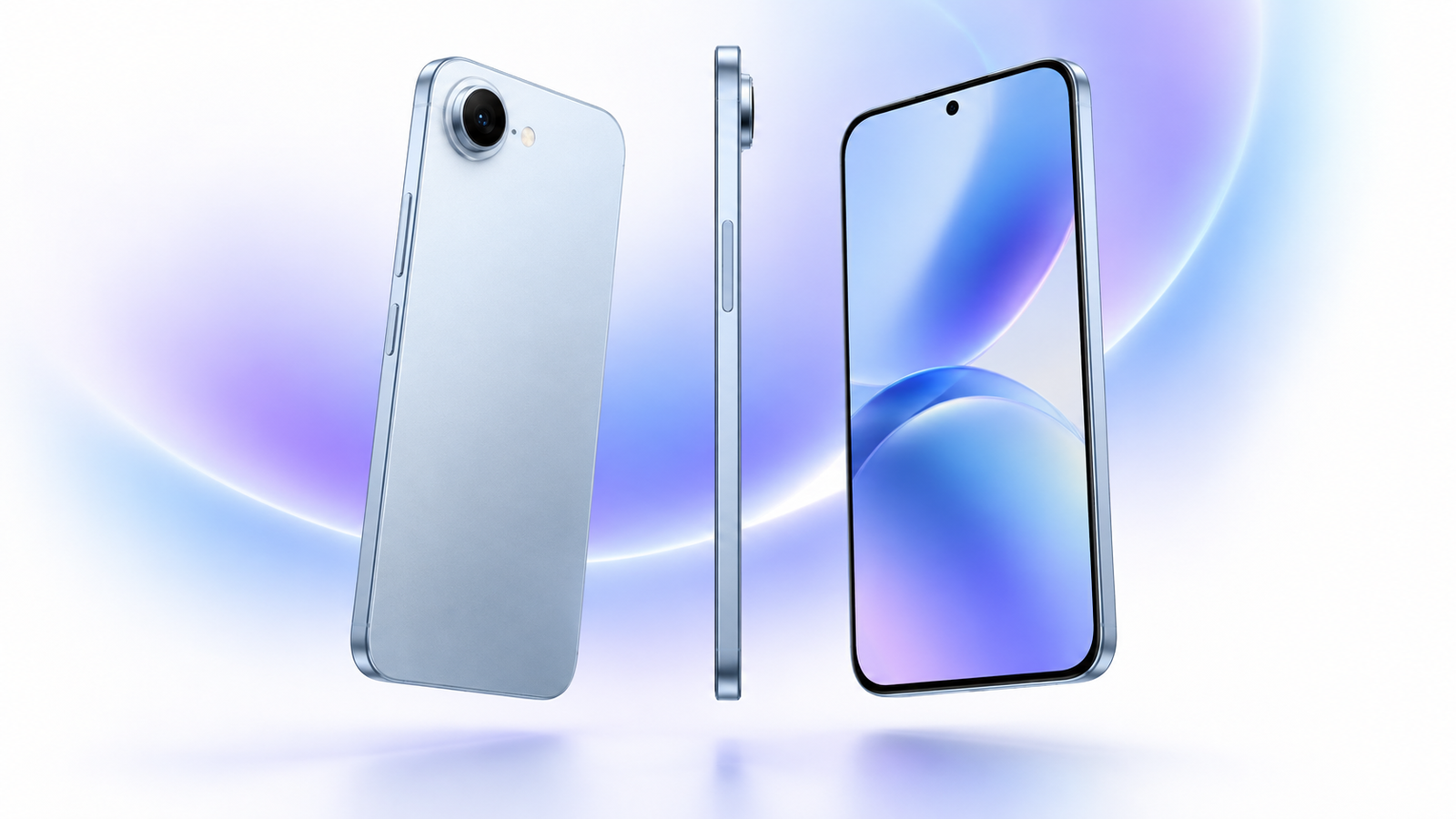
AI image disclosure: the editorial hero image is AI-generated and is not an official product photograph. Product names and trademarks belong to their respective owners.
Detailed decision worksheet for iPhone Air
Before buying, write the exact local price and model number, then score display comfort, camera reliability, battery reserve, charging convenience, call quality, software support, repair access and total cost from one to ten. Repeat the camera and battery tests on the current phone so the improvement is measurable. Add the cost of accessories and service, subtract realistic resale value and divide by the planned years of ownership. This turns an emotional launch-day decision into a transparent personal calculation.
Use the worksheet again after seven days. If the new phone has not improved the three tasks that justified the purchase, use the return window rather than hoping the experience changes. Keep original files from camera tests and the battery log as evidence. A deliberate review period protects the budget and produces a better recommendation for other buyers.
Camera file-size and backup planning for iPhone Air
High-resolution photos, RAW files and 4K video can consume storage faster than expected. Record one minute in every video format you plan to use, take ten full-resolution photos and check the resulting file sizes. Multiply that by a realistic month of shooting. Include editing copies, exported files and at least one independent backup. This calculation makes the storage decision more reliable than guessing from the advertised capacity.
Cloud libraries are convenient but do not replace a verified backup. Confirm whether original files are stored locally or optimised, test downloading a full-resolution file and understand the subscription cost over four years. Creators should maintain at least two copies of irreplaceable work, ideally with one copy away from the phone. A fast camera is only useful when its files remain organised, recoverable and affordable to store.
Accessibility and family setup for iPhone Air
A phone can be powerful yet unsuitable when text, gestures, sound or authentication are difficult for the intended user. Test large text, bold text, display zoom, screen reading, voice control, captions, hearing-device support, colour filters and one-handed controls. Confirm that banking, travel and health apps remain usable after accessibility settings are enabled.
For a child or older family member, configure emergency contacts, location sharing, app limits, purchase approval and account recovery before handing over the device. Explain camera privacy, unknown links and permission prompts. Test the protective case with the person’s actual grip. Accessibility and family controls should be part of the purchase decision, not a setup problem discovered after the return period.
Work, school and document workflow for iPhone Air
Open the email, calendar, classroom, office, VPN and authentication apps used every week. Edit a document, join a video meeting, scan a page, sign a PDF and move a file between phone and computer. Check notification reliability, keyboard accuracy, attachment handling and whether background restrictions interrupt uploads. A flagship processor does not guarantee that an organisation’s required app or security policy works correctly.
Students should test note capture, research tabs, calculator, scanning and battery during a long day. Business users should confirm mobile-device management, work profiles, secure folders and remote-wipe policies. If the phone will replace a laptop for short tasks, test the real keyboard, monitor or desktop mode before assuming the workflow is comfortable.
Travel-day simulation for iPhone Air
Simulate a travel day before the return window closes. Download boarding passes and offline maps, activate an eSIM, run navigation, take photos, use translation and keep Bluetooth audio connected. Spend several hours away from Wi-Fi and note battery, heat and signal. Confirm that emergency calling, roaming controls and payment cards are configured for the destination.
Carry a certified power bank and cable, and check airline capacity rules. Store account recovery information somewhere other than the phone. Travellers should also understand whether loss protection, theft coverage and international repair are included. A device that performs beautifully at home can become inconvenient abroad when regional bands, eSIM activation or service support were not checked.
Repairability and service-cost audit for iPhone Air
Look up official screen, back, battery, camera and, when relevant, hinge repair prices. Confirm whether a nearby authorised provider exists and how long common repairs take. Ask whether water resistance is retested after service and whether data may be erased. Insurance is valuable only after comparing its premium, deductible, exclusions and claim limit with those repair costs.
Battery service is especially important for long ownership. Capacity naturally declines, and a replacement can restore endurance for much less than a new flagship. Keep backups current so a sudden failure does not become a data emergency. A phone with slightly weaker launch specifications but reliable local parts can be the better four-year purchase.
Final pre-order audit for iPhone Air
Read the product page one final time in the correct country and note the model number, storage, colour, SIM arrangement, box contents, warranty and return deadline. Capture the order summary and promotion terms. Confirm that trade-in value is not conditional on a more expensive plan and that the promised credit schedule is acceptable.
Wait a day before paying if the purchase is not urgent. Recheck whether the current phone can be repaired, whether a previous-generation model offers most benefits and whether the selected storage is enough. This pause protects against launch excitement and gives time to notice hidden costs. A confident purchase should survive a clear comparison, not depend on a countdown timer.